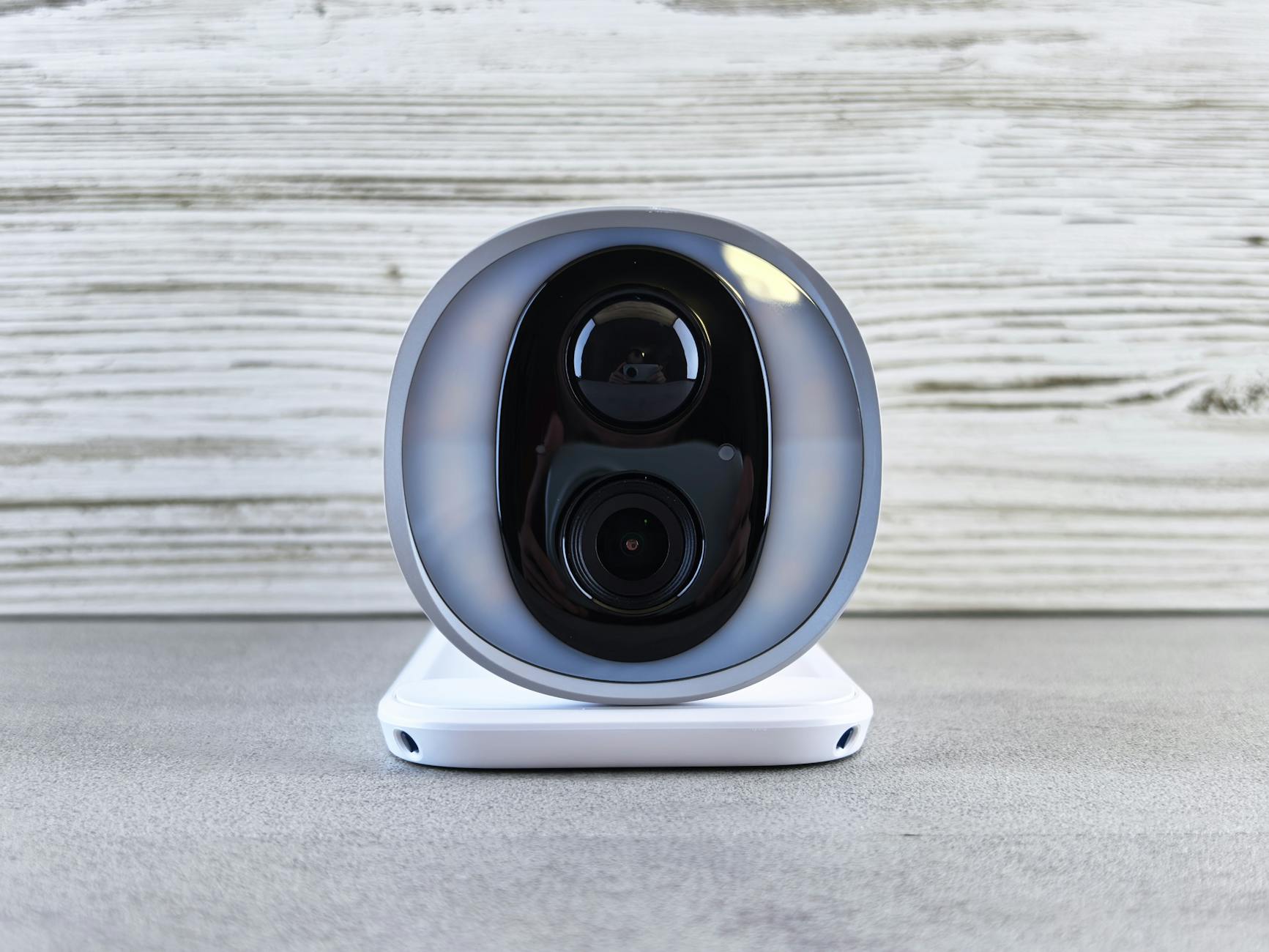
Securing your smart home devices requires a layered approach: start by changing default passwords on every device, enable two-factor authentication where available, create a separate network dedicated to IoT devices, keep firmware updated, and disable features you don’t use. These five steps address the most common attack vectors that hackers exploit to breach smart home systems. In 2023, a family in Mississippi discovered strangers speaking to their children through a compromised Ring camera””an incident that stemmed from the owners using the same password they had used on a previously breached website. That single reused password gave attackers access to their home’s interior.
This isn’t paranoia; it’s the reality of connecting dozens of devices to your home network. The average smart home now contains 25 connected devices, each representing a potential entry point for attackers. Unlike your computer or smartphone, many IoT devices lack basic security features and rarely receive updates after purchase. This article covers why smart home devices are vulnerable, how to assess your current risk, network segmentation strategies, firmware management, privacy considerations, and what to do if you suspect a device has been compromised.
Table of Contents
- Why Are Smart Home Devices Vulnerable to Cyberattacks?
- Assessing Your Smart Home Security Risks
- Network Segmentation for IoT Protection
- Firmware Updates and Device Maintenance
- Privacy Concerns with Connected Devices
- What to Do If Your Smart Home Device Is Compromised
- Understanding Default Credentials and Authentication Weaknesses
- How to Prepare
- How to Apply This
- Expert Tips
- Frequently Asked Questions
Why Are Smart Home Devices Vulnerable to Cyberattacks?
Smart home devices present unique security challenges because manufacturers prioritize convenience and low cost over robust protection. Most IoT devices run stripped-down operating systems with minimal memory, leaving no room for antivirus software or sophisticated firewalls. A smart lightbulb doesn’t have the processing power to encrypt communications properly, and a cheap security camera may transmit video over unencrypted channels. Researchers at Ben-Gurion University demonstrated in 2020 that they could extract WiFi passwords from a smart lightbulb within minutes of physical access. The business model compounds the problem. Companies racing to market have little incentive to invest in security for a device that sells for under fifty dollars. Once purchased, many devices never receive security patches because the manufacturer has moved on to newer products.
Compare this to your smartphone, which receives monthly security updates for years after purchase. Your smart thermostat, by contrast, might run the same vulnerable software for its entire lifespan. Some manufacturers have gone out of business entirely, leaving devices permanently unpatched and owners with expensive paperweights””or worse, active security liabilities. The attack surface expands with each device you add. That voice assistant connects to your calendar, email, and shopping accounts. Your smart lock knows when you’re home. Your robot vacuum has mapped every room in your house. Individually, each device holds fragments of your life; collectively, they paint a complete picture that attackers can exploit for burglary, identity theft, or harassment.

Assessing Your Smart Home Security Risks
Before implementing protections, you need to understand what you’re defending. Start by inventorying every connected device in your home””not just the obvious ones like speakers and cameras, but also appliances, toys, and fitness equipment. Check your router’s admin panel for a list of connected devices; you’ll likely find items you forgot about. A security researcher once discovered his aquarium thermometer was exfiltrating data to a server in Finland. Your forgotten devices remain connected and vulnerable whether you remember them or not. Evaluate each device’s security posture by researching its manufacturer’s track record.
Has the company experienced breaches? Do they release regular firmware updates? Can you enable two-factor authentication? Some manufacturers publish transparency reports and maintain bug bounty programs; others go silent after taking your money. Products from established tech companies generally receive longer support windows than budget alternatives, though even major brands have shipped devices with critical vulnerabilities. However, if a device is more than five years old and hasn’t received an update in over a year, assume it’s abandoned and consider replacing it or disconnecting it from your network. Categorize your devices by sensitivity. A smart speaker with access to your Amazon account and email presents higher risk than a connected plant sensor. Devices with cameras or microphones warrant extra scrutiny, as do those with access to financial accounts or physical security systems like locks and garage door openers. This categorization will guide your protection priorities when you can’t secure everything equally.
Network Segmentation for IoT Protection
The most effective defense against compromised smart home devices is network segmentation””isolating your IoT devices on a separate network from your computers and phones. If an attacker compromises your smart refrigerator, segmentation prevents them from pivoting to your laptop where you do banking and store sensitive documents. Most modern routers support guest networks, and some allow creating multiple isolated networks specifically for this purpose. Setting up a dedicated IoT network is straightforward on most routers. Access your router’s admin panel, create a new guest network or VLAN, and give it a distinct name and strong password. Connect all your smart home devices to this network while keeping your computers, phones, and tablets on your primary network.
Enable client isolation if available, which prevents devices on the same network from communicating with each other. This means your compromised smart plug can’t scan for vulnerabilities in your smart TV. However, if you rely on certain devices communicating directly””like a smart hub controlling lights””you’ll need to keep those on the same network segment or configure firewall rules to allow specific traffic. For advanced protection, consider a dedicated IoT router or firewall appliance. Products like Firewalla or enterprise-grade solutions like pfSense let you monitor traffic patterns and block suspicious connections automatically. These devices can alert you when your security camera suddenly starts communicating with servers in unexpected countries. The tradeoff is complexity and cost; a proper network firewall requires initial configuration and ongoing maintenance that casual users may find overwhelming.

Firmware Updates and Device Maintenance
Outdated firmware is the single most common vulnerability in smart home devices. Manufacturers discover security flaws and release patches, but those patches only help if you install them. Unlike smartphones that update automatically, many IoT devices require manual intervention””logging into an app, navigating to settings, and initiating the update. Some devices only check for updates when you open their app, meaning months can pass without patches. In 2021, a critical vulnerability in Philips Hue bulbs went unpatched in many homes for over a year because owners never opened the app to trigger the update check. Create a maintenance schedule for your smart home. Monthly, check each device’s app for available updates and install them. Quarterly, verify that your devices still receive support from their manufacturers by searching for recent firmware releases or security advisories.
Annually, audit your device inventory and remove anything that’s no longer supported or needed. Document everything””which devices you have, when you last updated them, and their current firmware versions. This documentation proves invaluable when security advisories mention specific vulnerable versions. Enable automatic updates wherever possible, accepting that occasionally an update may break functionality. The alternative””leaving known vulnerabilities unpatched””is worse. Some premium devices offer automatic background updates similar to smartphones; prioritize these when making purchasing decisions. For devices without automatic updates, set calendar reminders tied to your maintenance schedule. Consider subscribing to security mailing lists or following researchers who disclose IoT vulnerabilities; early awareness lets you patch or disable vulnerable devices before widespread exploitation begins.
Privacy Concerns with Connected Devices
Security and privacy overlap but aren’t identical. A perfectly secure device can still harvest your data and share it with advertisers, data brokers, or government agencies. Smart TVs track viewing habits. Voice assistants record conversations. Robot vacuums map your home’s layout. This data collection is often legal under privacy policies nobody reads, but that doesn’t make it acceptable. A New York Times investigation revealed that Roomba’s manufacturer considered selling home floor plans to advertisers””data that reveals room sizes, furniture placement, and daily movement patterns. Read privacy policies before purchasing, focusing on what data devices collect, where it’s stored, and who can access it.
Prefer devices that process data locally over those requiring cloud connections. Some voice assistants now offer on-device processing that never sends audio to corporate servers. When cloud processing is unavoidable, check whether you can delete stored data and how long the company retains it. European users benefit from GDPR protections requiring data deletion on request; American users often lack similar rights unless state laws like California’s CCPA apply. Configure privacy settings aggressively on every device. Disable voice purchasing, review access permissions for connected services, and opt out of data sharing wherever possible. Some devices let you use core functionality while declining telemetry collection. Check whether your devices have physical mute buttons for microphones and cameras””software mutes can be bypassed by malware, but physical disconnects cannot. The Amazon Echo’s mute button, for instance, electronically disconnects the microphone in a way that software cannot override.
What to Do If Your Smart Home Device Is Compromised
Recognizing compromise isn’t always obvious with IoT devices. Warning signs include unexpected device behavior, unfamiliar recordings in cloud storage, devices activating without triggers, unusual network traffic, or notifications about logins from unknown locations. If your smart camera moves on its own or your smart speaker responds to commands nobody issued, assume the worst until proven otherwise. One Pennsylvania family noticed their Nest camera’s LED indicating active viewing when they hadn’t opened the app””they later discovered their camera had been accessed over 100 times by unauthorized users. If you suspect compromise, disconnect the device from your network immediately by either unplugging it or blocking its MAC address in your router. Change the password for any accounts connected to that device, prioritizing email accounts that can be used for password resets. Enable two-factor authentication on all associated accounts if you haven’t already.
Check for unauthorized purchases, changed settings, or new devices added to your accounts. Review connected apps and revoke access for anything unfamiliar. After containing the immediate threat, perform forensic investigation. Check your router logs for unusual traffic patterns from the device. Review the device’s cloud account for login history and accessed recordings. Contact the manufacturer’s support to report the breach and ask whether they can identify how access was gained. Finally, decide whether to factory reset and reconfigure the device or replace it entirely. If the compromise occurred despite strong credentials and current firmware, the device itself may have a vulnerability worth avoiding.
Understanding Default Credentials and Authentication Weaknesses
Default usernames and passwords remain shockingly common attack vectors despite decades of security awareness. Many IoT devices ship with credentials like admin/admin or use predictable patterns based on serial numbers. The Mirai botnet, which knocked major websites offline in 2016, spread primarily by trying default credentials on internet-connected cameras and routers. Attackers built databases of default credentials for thousands of device models, automating compromise at massive scale. Every device you install should have its default credentials changed immediately””before connecting to the internet if possible. Create unique, strong passwords for each device, storing them in a password manager. Some devices support integration with password managers; use this feature when available.
For devices that don’t support password changes, consider whether they belong on your network at all. If a device only accepts a four-digit PIN, weigh its utility against its security limitations. Two-factor authentication adds crucial protection for accounts controlling physical security. Your smart lock account should absolutely require a second factor beyond passwords. However, SMS-based two-factor authentication remains vulnerable to SIM-swapping attacks where criminals convince your carrier to transfer your number. Prefer authenticator apps or hardware keys when available. For the most sensitive devices””security cameras, smart locks, garage door openers””the minor inconvenience of authentication codes pales against the consequences of unauthorized access.
How to Prepare
- Audit your current router settings, changing the default admin password and ensuring you’re using WPA3 encryption, or at minimum WPA2 with a strong password. Disable WPS, which allows attackers within radio range to breach your network within hours.
- Create a dedicated email address for smart home accounts, separate from your primary personal or work email. This limits damage if one account is compromised and makes it easier to identify phishing attempts targeting your smart home.
- Set up a password manager and generate unique, random passwords for every smart home device and associated account. Reusing passwords””even strong ones””means a breach anywhere compromises everything using that password.
- Enable two-factor authentication on every account that supports it, starting with the most sensitive: security cameras, smart locks, and the email account used for password resets.
- Document your smart home inventory in a spreadsheet or note, including device names, MAC addresses, firmware versions, last update dates, and manufacturer support status. Warning: failing to maintain this documentation leads to forgotten devices running vulnerable firmware indefinitely””the exact scenario attackers exploit.
How to Apply This
- Access each device’s settings through its app or web interface and disable features you don’t use””remote access you never need, voice control you prefer not to use, cloud recording you’d rather handle locally. Every disabled feature is one less attack surface.
- Review and restrict permissions for each device’s app on your phone. A smart lightbulb doesn’t need access to your contacts, location, or microphone. Deny permissions aggressively and only grant specific permissions if functionality you need breaks.
- Configure your dedicated IoT network and migrate all smart home devices to it, updating saved network credentials in each device’s settings. Verify devices function correctly after migration and confirm they can’t access resources on your primary network.
- Set up monitoring using your router’s built-in features or a dedicated network security appliance. Enable notifications for new devices joining your network and review traffic logs weekly for anomalies like devices communicating with unexpected servers or transferring unusual data volumes.
Expert Tips
- Replace devices from manufacturers with poor security track records regardless of how well they function; a device that works perfectly but never receives security updates is a liability, not an asset.
- Don’t enable UPnP on your router, even though many smart home guides recommend it for easy setup; UPnP allows devices to punch holes in your firewall automatically, which is precisely the capability attackers exploit.
- Schedule quarterly security reviews coinciding with daylight saving time changes or other memorable events to audit devices, check for updates, review account access logs, and remove unused devices.
- Use physical covers for cameras in sensitive areas as a backup to software privacy features; a ten-cent sliding lens cover protects against software vulnerabilities and potential manufacturer backdoors.
- Consider a router with built-in security features from vendors like Eero, Asus, or Netgear, which offer automatic threat detection and blocking; while not perfect, these add meaningful protection without requiring separate hardware.
Frequently Asked Questions
How long does it typically take to see results?
Results vary depending on individual circumstances, but most people begin to see meaningful progress within 4-8 weeks of consistent effort. Patience and persistence are key factors in achieving lasting outcomes.
Is this approach suitable for beginners?
Yes, this approach works well for beginners when implemented gradually. Starting with the fundamentals and building up over time leads to better long-term results than trying to do everything at once.
What are the most common mistakes to avoid?
The most common mistakes include rushing the process, skipping foundational steps, and failing to track progress. Taking a methodical approach and learning from both successes and setbacks leads to better outcomes.
How can I measure my progress effectively?
Set specific, measurable goals at the outset and track relevant metrics regularly. Keep a journal or log to document your journey, and periodically review your progress against your initial objectives.
When should I seek professional help?
Consider consulting a professional if you encounter persistent challenges, need specialized expertise, or want to accelerate your progress. Professional guidance can provide valuable insights and help you avoid costly mistakes.
What resources do you recommend for further learning?
Look for reputable sources in the field, including industry publications, expert blogs, and educational courses. Joining communities of practitioners can also provide valuable peer support and knowledge sharing.
You Might Also Like
- How to Secure Your Home WiFi Network
- How to Secure Your Online Accounts With Two Factor Authentication
- Why You Should Never Reuse Passwords