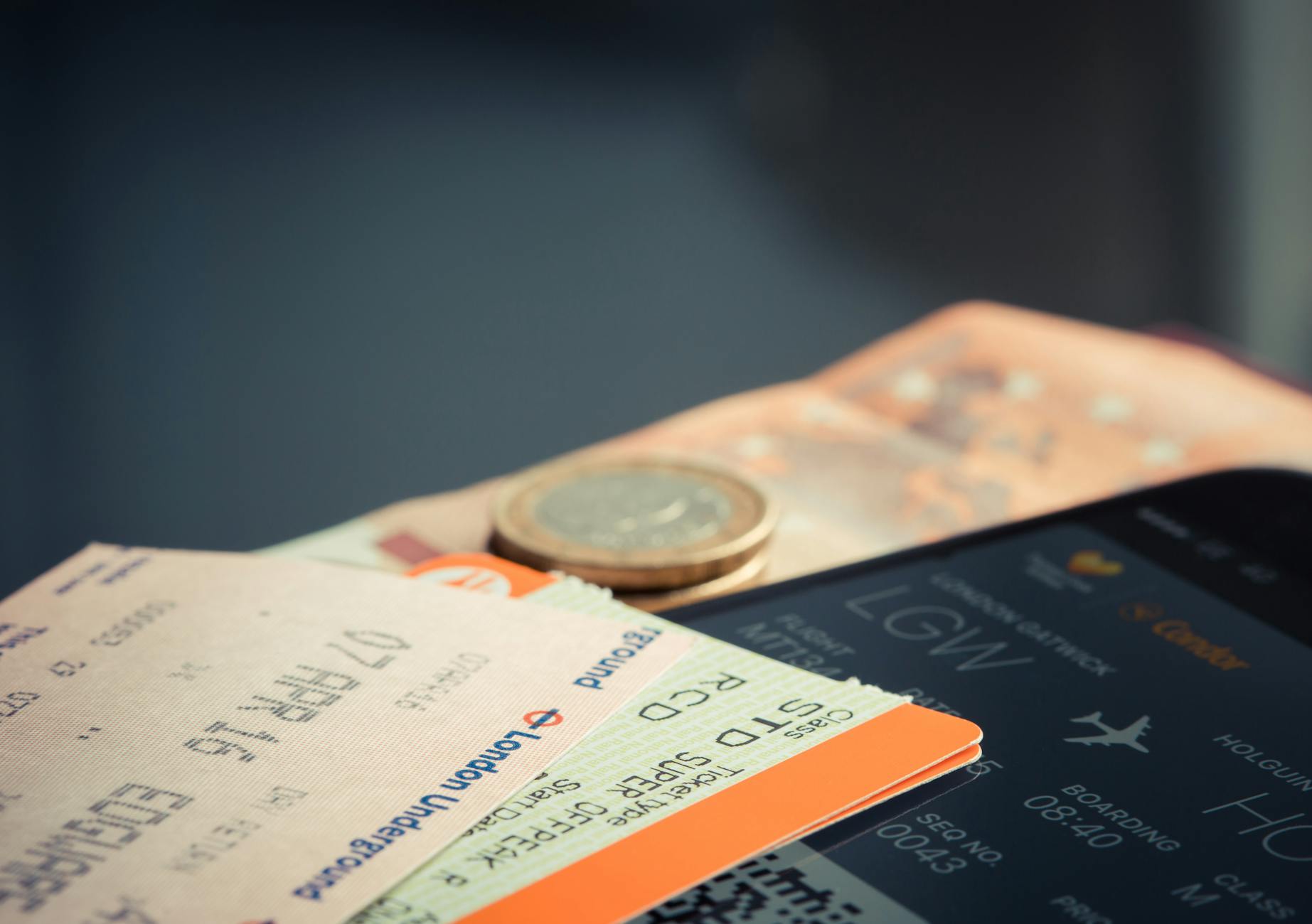
Protecting your travel itinerary online starts with treating it like what it actually is: a detailed blueprint of where you’ll be, when you’ll be there, and where you won’t be. That means never posting your full trip details on social media before departure, using encrypted channels when sharing plans with family, avoiding public Wi-Fi for booking confirmations, and storing digital copies of documents in password-protected apps rather than plain email threads. In 2023, a family in Melbourne had their home burglarized after one member posted a detailed two-week Bali itinerary on Facebook, complete with departure dates and the fact that no one would be house-sitting. The thieves didn’t need sophisticated hacking skills — they just read a public post. Beyond the obvious social media risks, your travel itinerary faces threats at every digital touchpoint.
Booking confirmation emails sit unencrypted in your inbox. Airline and hotel apps may leak data through insecure APIs. Shared Google Docs with your full schedule can be accessed by anyone with the link if permissions aren’t set correctly. Even your boarding pass barcode contains enough personal data — frequent flyer numbers, booking references, sometimes passport details — to enable identity theft if photographed and shared online. This article covers the specific attack vectors that target travelers’ digital information, practical steps to lock down each one, the tradeoffs between convenience and security when sharing trip details, and what to do if your itinerary data has already been exposed.
Table of Contents
- Why Is Your Travel Itinerary a Target for Cybercriminals?
- How Booking Platforms and Email Expose Your Trip Details
- The Social Media Problem Most Travelers Ignore
- Practical Steps to Lock Down Your Travel Data Before a Trip
- Public Wi-Fi, Hotel Networks, and In-Transit Risks
- What to Do If Your Itinerary Data Has Been Exposed
- Where Travel Data Security Is Heading
- Frequently Asked Questions
Why Is Your Travel Itinerary a Target for Cybercriminals?
Your itinerary is valuable because it’s a concentrated package of personally identifiable information combined with predictable behavior patterns. A typical booking confirmation contains your full legal name, email address, phone number, passport or ID number, payment card details, and a precise timeline of when you’ll be away from home. For criminals focused on physical theft, that last piece is the jackpot. For identity thieves, the rest of the package is more than enough to open fraudulent accounts or take over existing ones. The threat isn’t theoretical.
In 2022, the airline reservation system Amadeus, which processes bookings for hundreds of carriers, disclosed vulnerabilities that allowed researchers to access and modify passenger name records using only a booking reference and a last name — both of which are printed on every boarding pass. Security researcher Noam Rotem demonstrated that by simply finding a discarded boarding pass photo online, he could pull up the passenger’s full itinerary, contact information, and frequent flyer details. Compared to breaching a bank or hospital, travel data is often lower-hanging fruit because travelers routinely share it in insecure ways without thinking twice. The data also has a short shelf life for certain attacks, which makes criminals act fast. If someone obtains your itinerary showing a flight departure tomorrow, they know your home will be empty within 24 hours. This urgency factor makes travel data particularly actionable compared to other types of personal information that might sit in a stolen database for months before being exploited.

How Booking Platforms and Email Expose Your Trip Details
Most travelers receive their itinerary details through email, and that’s the first major vulnerability. Standard email protocols transmit messages in plain text between servers, meaning your booking confirmation with its reservation codes, flight numbers, and hotel addresses can potentially be intercepted in transit. Even when email providers use TLS encryption for transmission, the messages themselves sit unencrypted at rest in your inbox, accessible to anyone who compromises your email account. Booking platforms introduce their own risks. Online travel agencies like Expedia, Booking.com, and Kayak aggregate enormous amounts of travel data, making them attractive targets for breaches. Booking.com suffered a significant phishing campaign in 2023 where attackers compromised individual hotel partner accounts and then sent fraudulent messages to guests through the platform’s own messaging system, requesting payment card details.
Because the messages came from within the legitimate Booking.com interface, many travelers didn’t question their authenticity. However, if you book directly with airlines and hotels rather than through aggregators, you reduce the number of third parties holding your data — though you trade off the convenience of having everything in one place. The “magic link” login systems used by many travel apps present another gap. When a travel app sends you a login link via email or SMS, anyone with access to that channel can authenticate as you and view your complete itinerary. SMS-based links are especially risky because SIM-swapping attacks, where a criminal convinces your carrier to transfer your number to their device, remain disturbingly common. In 2024, the FBI’s internet Crime Complaint Center reported over 2,800 SIM-swapping complaints with losses exceeding $48 million.
The Social Media Problem Most Travelers Ignore
The most common way travel itineraries leak online is voluntary disclosure. People post departure countdowns, gate selfies, boarding passes, and hotel check-in photos without considering who can see them. A 2023 survey by NordVPN found that nearly 75 percent of respondents shared vacation details on social media, and more than a third did so while still traveling. The problem isn’t just that followers see these posts — it’s that default privacy settings on most platforms make them visible to a far wider audience than users realize. Boarding pass photos deserve special attention.
That barcode or QR code on your boarding pass isn’t just a flight number — it’s encoded with your full name, frequent flyer number, booking reference (PNR), and sometimes additional personal details. In 2019, a security researcher demonstrated that scanning a boarding pass photo posted on Instagram revealed enough information to log into the passenger’s airline account, view their upcoming flights, change their seat assignments, and even cancel future reservations. The Krebs on Security blog has documented multiple cases where boarding pass data was used to initiate more targeted social engineering attacks against travelers. Even seemingly innocent posts can be stitched together to build a complete picture. A photo of your airport lounge tagged with a location, a story about turbulence referencing a specific airline, and a beach sunset with a geotag create a timeline that any motivated observer can reconstruct. Criminals don’t need your full itinerary if they can piece it together from fragments scattered across your public profiles.
Practical Steps to Lock Down Your Travel Data Before a Trip
The most effective single action you can take is to delay all social media posting until after you return home. This eliminates the real-time location tracking risk entirely. If that feels too restrictive, at minimum disable geotagging on your phone’s camera and avoid posting content that reveals your current location or dates of travel. The tradeoff is real — many people enjoy sharing their experiences live and staying connected with friends while traveling — but the security benefit of even a 24-hour posting delay is substantial. For sharing your itinerary with family or emergency contacts, use an encrypted messaging app like Signal rather than email or SMS. Signal’s end-to-end encryption means even if someone intercepts the transmission, they can’t read the content.
You can also set messages to auto-delete after a specified time, so your itinerary doesn’t sit permanently in someone else’s chat history. Compare this to a shared Google Doc, which is convenient but defaults to accessible-by-anyone-with-the-link unless you specifically restrict permissions to individual Google accounts — and even then, a compromised Google account exposes everything shared with it. Before departure, enable two-factor authentication on every travel-related account: airlines, hotels, travel agencies, and the email account that receives your confirmations. Use an authenticator app rather than SMS for the second factor, since SMS is vulnerable to SIM-swapping. Store digital copies of your passport, ID, and insurance documents in an encrypted vault app like 1Password or Bitwarden rather than in your email drafts, phone gallery, or cloud storage. The few extra seconds to unlock a vault are negligible compared to the risk of an unsecured copy.
Public Wi-Fi, Hotel Networks, and In-Transit Risks
Airport and hotel Wi-Fi networks are functionally untrusted environments, and accessing your travel accounts or booking confirmations on them without protection is a genuine risk. Man-in-the-middle attacks on public Wi-Fi are not the epidemic that some VPN marketing campaigns suggest — modern HTTPS encryption handles a lot of the heavy lifting — but the risk isn’t zero either. The real danger is less about traffic interception and more about evil twin networks, where an attacker sets up a Wi-Fi access point mimicking a legitimate hotel or airport network, then captures login credentials entered on fake portal pages. A VPN provides meaningful protection here, but with caveats. A reputable paid VPN service encrypts your traffic between your device and the VPN server, making evil twin attacks ineffective for capturing your data.
However, free VPN services are often worse than no VPN at all — many have been caught logging user traffic, injecting ads, or even selling browsing data to third parties. A 2024 investigation by Top10VPN found that over 100 free VPN apps on Google Play had critical security vulnerabilities. If you choose not to use a VPN, the practical alternative is to avoid logging into sensitive accounts on public networks entirely and use your phone’s cellular data connection instead, which is significantly harder to intercept. Physical security of your devices while traveling also matters. A stolen unlocked phone at an airport contains your complete itinerary, email with booking confirmations, airline apps, and potentially saved payment methods. Enable biometric locks, set short auto-lock timeouts, and activate remote wipe capabilities through Find My iPhone or Google’s Find My Device before your trip.
What to Do If Your Itinerary Data Has Been Exposed
If you discover that your travel details have been compromised — through a data breach notification, suspicious account activity, or realizing you accidentally posted sensitive information publicly — act immediately on the most time-sensitive risks first. Change passwords on your airline, hotel, and booking accounts. Contact your airline directly to flag your booking reference as potentially compromised, as they can issue a new PNR.
If your passport number was exposed, consider monitoring for identity theft through your country’s official channels — in the United States, that means placing a fraud alert through one of the three credit bureaus, which is free and requires only one bureau to initiate since they’re required to notify the others. For physical security concerns, such as someone knowing your home will be empty during specific dates, ask a neighbor or friend to make your home appear occupied — lights on timers, car in the driveway, mail collected. If you’ve already departed and learn of the exposure mid-trip, local police non-emergency lines can often arrange additional patrols past your address if you explain the situation.
Where Travel Data Security Is Heading
The travel industry is slowly adopting better standards, but it’s lagging behind sectors like banking and healthcare. Initiatives like IATA’s One ID program aim to replace physical documents and visible booking references with biometric verification, which would eliminate the boarding pass data leakage problem entirely. Some airlines have begun implementing tokenized booking references that expire and can’t be reused for account access, addressing the PNR vulnerability that researchers have flagged for years.
On the consumer side, the most meaningful shift is the growing adoption of passkeys — cryptographic login credentials tied to your device rather than knowledge-based passwords. As airlines and hotel chains adopt passkey authentication, the risk from credential theft drops dramatically. Until these technologies reach full adoption, the responsibility still falls primarily on travelers to treat their itinerary data with the same caution they’d give their banking information.
Frequently Asked Questions
Is it safe to email my itinerary to family members?
Standard email is not encrypted at rest, so a compromised email account exposes everything in it. For sensitive details like passport numbers and full itineraries, use an encrypted messaging app like Signal. For less sensitive information like general travel dates, email to a small group is a reasonable tradeoff for most people.
Should I use a VPN every time I access my travel bookings?
On public or hotel Wi-Fi, yes — but only a reputable paid VPN. Free VPNs often introduce more risk than they mitigate. On your home network or cellular data, a VPN adds minimal security benefit for accessing travel accounts that already use HTTPS.
Can someone really hack my accounts from a boarding pass photo?
Yes. The barcode on a boarding pass typically contains your full name, booking reference, and frequent flyer number. With the booking reference and your last name, someone can often access your full reservation, view your itinerary, and in some cases modify or cancel future flights.
How long should I wait after returning home to post vacation photos?
Any delay helps, but posting after you’re back eliminates the primary risk — broadcasting that your home is currently unoccupied. If you want to post while traveling, avoid revealing your exact location, hotel name, or remaining travel dates.
Are travel planning apps safe to use?
It depends on the app. Major platforms like TripIt or Google Travel use reasonable security practices, but they aggregate all your travel data in one place, making them high-value targets. Review the app’s privacy policy, enable two-factor authentication if available, and avoid granting unnecessary permissions like contacts or location access.
You Might Also Like
- How to Protect Your Online Dating Profile
- How to Protect Your Browsing History Online
- How to Protect Your Brokerage Account Online