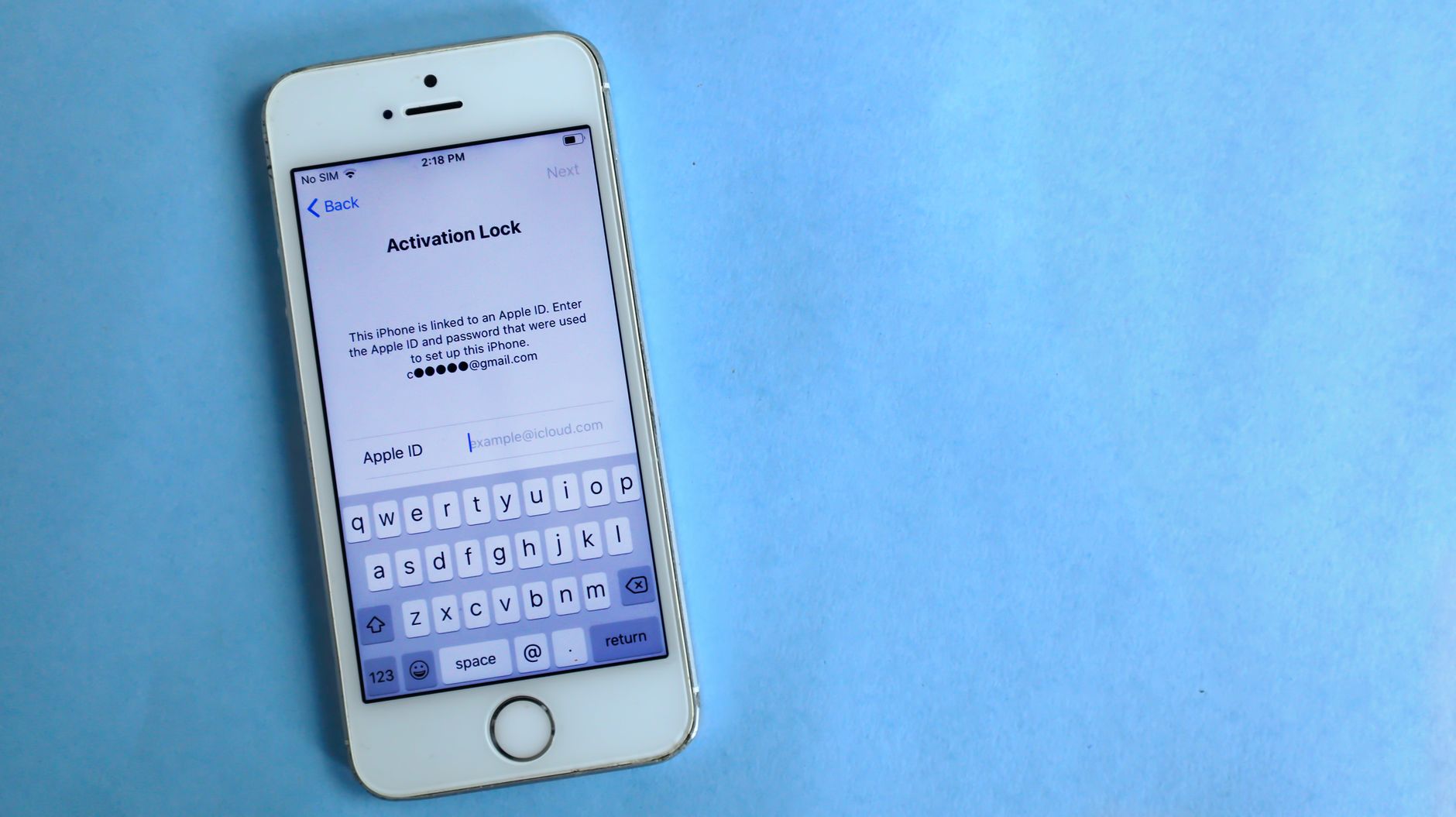
No third-party authenticator app is involved in Apple Account two-factor authentication. As of November 2026, Apple’s support pages describe a closed system: a six-digit code appears on another Apple device you are already signed in to, or arrives by text or phone call, and you can add physical security keys for extra protection.
None of the Apple Support pages we reviewed mention Google Authenticator, Microsoft Authenticator or any other TOTP app as a way to sign in to an Apple Account. That is a design choice rather than a gap: Apple’s trusted devices play the role an authenticator app plays elsewhere. For how other companies handle this, see our roundup of which banks and services support authenticator apps.
How Apple Account two-factor authentication works
Apple says two-factor authentication “is the default security method for most accounts,” and some features will not run without it: “Certain Apple services and features, such as Apple Pay and Sign in with Apple, require two-factor authentication.” When you sign in on a new iPhone, Mac or browser, you give your password plus a code.
That code normally comes from a trusted device, which Apple defines as “an iPhone, iPad, Apple Watch, Apple Vision Pro, or Mac on which you’ve already signed in to your Apple Account using two-factor authentication.” A notification appears on that device, you tap Allow, and the six digits are shown. Apple warns that the small map in the notification is approximate and based on the network the new device uses, so treat it as a hint rather than proof.
| Method | Offered? | Detail from Apple Support |
|---|---|---|
| Code shown on a trusted Apple device | Yes | The default; appears after you tap Allow |
| Text or phone call to a trusted number | Yes | Fallback when no trusted device is handy |
| Google Authenticator or similar apps | Not mentioned | Apple relies on its own devices instead |
| Physical security key | Yes, optional | FIDO Certified; minimum of two keys |
| Passkey for the Apple Account itself | Not mentioned | Not covered on these sign-in pages |
If no trusted device is nearby, you pick the Didn’t Get a Code? link and Apple sends the code to a trusted phone number. In Apple’s words, “You can use the code displayed on your trusted device, or get a text or phone call.”
The phone-number weak spot
The text-or-call fallback is where Apple Account two-factor authentication inherits the usual problems of phone numbers. A thief who persuades a phone company to reassign your line receives every texted code from that moment on. The FBI’s warning on SIM swapping urges people to rely on “biometrics, physical security tokens, or standalone authentication applications” instead. Our guide to the risks of SMS sign-in codes walks through the attacks.
Apple offers one practical defense in its own guidance: “If you have multiple phone numbers, consider using one not associated with your iPhone as an additional trusted phone number.” A landline or a second line that never leaves the house cannot be stolen along with your phone, and it gives you a way in if the iPhone is lost.
Security keys: Apple’s strongest option
For people who worry about targeted attacks, Apple supports third-party hardware keys. Its page states that “Physical security keys provide extra protection for your Apple Account against phishing attacks.” The requirements are strict:
- “At least two FIDO® Certified* security keys that work with the Apple devices that you use on a regular basis.”
- Current software on every device signed in to the account: “iOS 16.3, iPadOS 16.3, or macOS Ventura 13.2, or later.”
- Apple caps the count: “You must add and maintain at least two security keys. You can add up to six keys.”
Once keys are on, they become the only routes in apart from another trusted device, which removes the text-message fallback. That also raises the stakes of losing them. Apple says plainly: “If you lose all of your trusted devices and security keys, you could be locked out of your account permanently.” Keep one key at home and one somewhere else. Child accounts and Managed Apple Accounts cannot use the feature. Removing every key puts the account back on six-digit codes.
To add keys on an iPhone, open Settings, tap your name, then Sign-In & Security, Two-Factor Authentication, Security Keys. On a Mac the path runs through System Settings and the same menu names.
If you lose access
Apple’s recovery process is deliberately slow. When you have permanently lost every trusted device and number, you can start account recovery from the sign-in screen, but Apple says it “might take a few days or longer,” and that “Contacting Apple can’t help speed up the process.” That last line is useful scam protection: a caller who claims to be Apple and offers to restore your account faster is not telling the truth.
What to do if you want an authenticator app
You cannot add one to an Apple Account, so the best equivalent is a second Apple device plus security keys. Use an authenticator app on the services that accept one, especially the email account tied to your Apple Account, since that is where reset messages arrive. Where those apps do help is laid out in our TOTP primer. CISA notes that adding a stronger method elsewhere “does not automatically unenroll the account’s SMS,” so check what fallbacks remain on each account after you upgrade.
Frequently Asked Questions
Does an Apple Account accept Google Authenticator codes?
The Apple Support pages we reviewed do not mention third-party authenticator apps. Apple Account codes come from your trusted Apple devices or by text or phone call to a trusted number.
Can I turn off two-factor authentication on my Apple Account?
Apple says that if your account was created with two-factor authentication, the protection cannot be removed. Recently upgraded accounts have a two-week window to switch back.
How many security keys does Apple require?
At least two FIDO Certified keys, and no more than six. All devices signed in to the account need iOS 16.3, iPadOS 16.3, macOS Ventura 13.2 or later.
Can Apple Support speed up account recovery?
No. Apple states that contacting Apple cannot speed up account recovery, which can take a few days or longer.
Sources
- Two-factor authentication for Apple Account — Apple Support, August 13, 2026
- Get a verification code and sign in with two-factor authentication — Apple Support, December 18, 2025
- About trusted phone numbers and trusted devices for Apple Account — Apple Support, September 14, 2026
- About Security Keys for Apple Account — Apple Support, accessed November 2026
- Mobile Communications Best Practice Guidance — Cybersecurity and Infrastructure Security Agency (CISA), December 2024
- Criminals Increasing SIM Swap Schemes to Steal Millions of Dollars from US Public — FBI Internet Crime Complaint Center (IC3), February 8, 2022
This article is general consumer-security information, not legal or financial advice. Sign-in options, menus and fees change; confirm each setting on the official website or app of your bank, broker or wireless carrier before relying on it. Data Breach Radar is not affiliated with any bank, broker, carrier or app named here, and no company paid to be mentioned.